Artificial intelligence has changed the way people write software. Today, AI coding tools help beginners learn programming and allow experienced developers to build projects much faster. Instead of spending hours writing repetitive code or searching for solutions online, programmers can now use intelligent assistants that suggest code, find bugs, explain errors, and even create entire functions.
As technology continues to improve, these tools are becoming an important part of modern software development. Whether you are creating a website, mobile app, game, or business software, the right AI coding tools can increase productivity and improve code quality.
In this guide, you will learn what AI coding tools are, how they work, their benefits, popular examples, limitations, and tips for choosing the right solution.
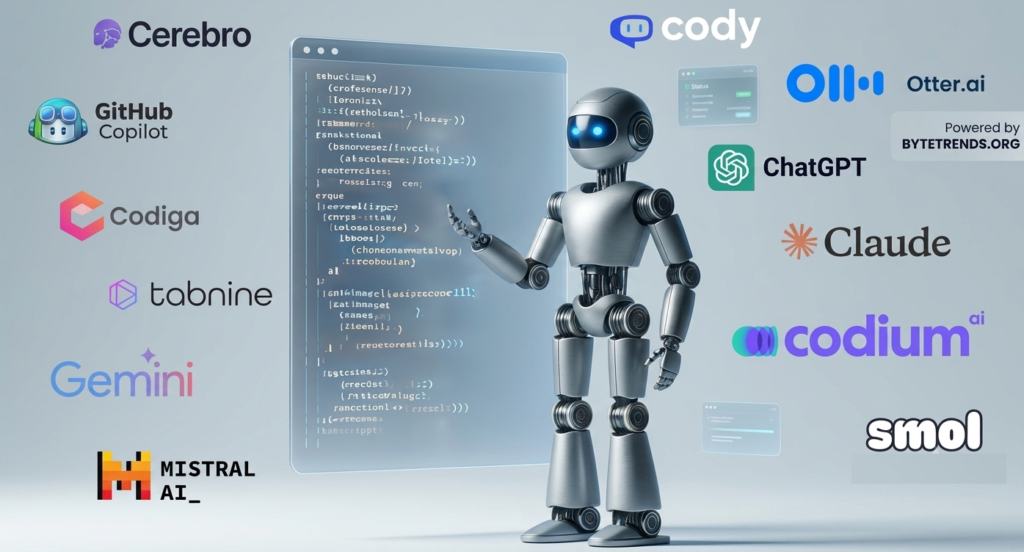
What Are AI Coding Tools?
AI coding tools are software applications that use artificial intelligence, machine learning, and large language models (LLMs) to help developers write, understand, test, and improve code.
Unlike traditional code editors that only highlight syntax errors, AI-powered tools understand programming languages and can predict what developers want to write next.
Many modern AI developer tools work directly inside popular code editors, allowing programmers to receive real-time suggestions without leaving their workspace.
These tools support many programming languages, including:
- Python
- JavaScript
- Java
- C++
- C#
- PHP
- Go
- Ruby
- TypeScript
- Swift
- Kotlin
Because of this wide support, they have become useful for developers across many industries.
How Do AI Coding Tools Work?
Most AI coding tools are trained on millions of lines of publicly available source code, technical documentation, and programming examples.
When a developer starts typing, the AI analyzes:
- Current code
- Variable names
- Project structure
- Comments
- Programming language
- Previous code context
The AI then predicts what code should come next and offers suggestions.
Some advanced coding assistant platforms can even understand natural language instructions.
For example, you can type:
“Create a login form with email validation.”
The AI may generate the entire function automatically.
This combination of natural language processing, code generation, and AI programming makes software development faster than ever before.
Why Are AI Coding Tools Becoming So Popular?
There are several reasons why developers increasingly rely on AI coding tools.
Faster Development
Developers spend less time writing repetitive code because AI automatically completes functions, loops, and common programming patterns.
This allows programmers to focus on solving bigger problems.
Better Productivity
Many repetitive tasks become automated.
Examples include:
- Writing boilerplate code
- Creating classes
- Generating APIs
- Formatting code
- Creating documentation
This improves overall productivity.
Easier Learning
Beginners often struggle with syntax.
A good coding assistant explains mistakes and suggests improvements, making programming easier to learn.
Improved Code Quality
Modern AI developer tools can identify bugs, security issues, and performance problems before the software is released.
Main Features of AI Coding Tools
Different platforms offer different capabilities, but most include similar features.
Intelligent Code Completion
Instead of completing just one word, AI predicts entire lines or functions.
This significantly reduces typing.
Code Generation
Developers can describe what they want using plain English.
The AI generates working code based on those instructions.
This is one of the biggest advances in AI programming.
Bug Detection
Many tools automatically detect:
- Syntax errors
- Logic mistakes
- Runtime problems
- Security vulnerabilities
This saves debugging time.
Code Explanation
Some developers inherit old projects with little documentation.
AI can explain complicated code in simple language.
This helps teams understand legacy applications much faster.
Refactoring Suggestions
AI recommends cleaner, shorter, and more efficient code.
Refactoring improves readability and long-term maintenance.
Documentation Generation
Writing documentation is often boring.
Many AI developer tools automatically create comments, function descriptions, and documentation pages.
Popular AI Coding Tools
Several companies now provide powerful AI coding tools for developers.
GitHub Copilot
GitHub Copilot is one of the most widely used AI coding assistants.
It provides real-time code suggestions while developers type.
It supports dozens of programming languages and integrates with Visual Studio Code.
ChatGPT
ChatGPT helps developers explain code, generate functions, debug errors, and learn new programming concepts.
Many developers use it alongside traditional IDEs.
Amazon CodeWhisperer
Amazon CodeWhisperer focuses on secure software development.
It suggests code while checking for security best practices.
Tabnine
Tabnine uses AI to predict code based on project context.
It supports many programming languages and integrates with popular editors.
Cursor
Cursor is an AI-first code editor that allows developers to chat directly with their codebase.
It can modify multiple files using natural language instructions.
Replit AI
Replit AI helps developers write, debug, and deploy applications directly in the browser.
It is especially useful for beginners and collaborative projects.
Benefits of Using AI Coding Tools
The advantages of using AI coding tools continue to grow.
Save Time
Developers spend less time searching for syntax or writing repetitive code.
Projects move faster from idea to deployment.
Reduce Errors
AI catches mistakes before they become larger problems.
This improves software reliability.
Increase Productivity
Teams can complete more work without increasing developer workload.
Many companies report noticeable productivity improvements after adopting AI developer tools.
Improve Collaboration
AI-generated documentation makes projects easier for teammates to understand.
New developers can join projects more quickly.
Learn Faster
Students receive explanations and code examples instantly.
This speeds up the learning process.
Challenges and Limitations
Although AI coding tools are powerful, they are not perfect.
Incorrect Code
AI sometimes generates code that looks correct but contains hidden bugs.
Developers should always review suggestions carefully.
Security Risks
Automatically generated code may include insecure practices if not reviewed properly.
Security testing remains essential.
Outdated Knowledge
Some AI systems may not include the newest programming libraries or frameworks.
Developers should verify current documentation.
Overdependence
New programmers should avoid relying entirely on AI.
Learning programming fundamentals is still important.
Who Should Use AI Coding Tools?
Many different people benefit from AI coding tools.
Beginners
Students learn programming faster through explanations and code suggestions.
Professional Developers
Experienced programmers automate repetitive work and improve productivity.
Freelancers
Freelancers complete client projects more efficiently.
Startups
Small teams build products faster while reducing development costs.
Large Companies
Enterprise development teams use AI developer tools to improve collaboration and maintain code quality across large projects.
How to Choose the Right AI Coding Tool
Choosing the best solution depends on your needs.
Consider the following factors.
Programming Language Support
Ensure the tool supports your preferred programming languages.
IDE Integration
Look for compatibility with editors like Visual Studio Code, IntelliJ IDEA, PyCharm, or Vim.
Accuracy
Higher-quality suggestions reduce editing time.
Security Features
Developers building business applications should prioritize security scanning.
Pricing
Some AI coding tools are free, while others require monthly subscriptions.
Compare features before making a decision.
Privacy
Businesses handling sensitive code should review privacy policies before uploading proprietary projects.
Best Practices for Using AI Coding Tools
To get the best results, developers should follow several good practices.
- Review every AI-generated suggestion.
- Test generated code thoroughly.
- Learn programming fundamentals instead of copying blindly.
- Use version control systems like Git.
- Follow secure coding practices.
- Keep dependencies updated.
- Write meaningful comments and documentation.
- Combine AI with human code reviews.
Using AI responsibly produces better software.
The Future of AI Coding Tools
The future of AI coding tools looks very promising.
As AI models continue to improve, developers may soon build complete applications using simple natural language instructions.
Future systems are expected to offer:
- Better project understanding
- Automatic software testing
- Smarter debugging
- Real-time architecture recommendations
- Improved cybersecurity analysis
- Automatic documentation updates
- Better collaboration across development teams
Rather than replacing programmers, AI will likely become an intelligent partner that helps developers work faster and solve more complex problems.
Frequently Asked Questions (FAQs)
What are AI coding tools?
AI coding tools are software applications that use artificial intelligence to help developers write, understand, debug, and improve code more efficiently.
Are AI coding tools free?
Some tools offer free plans with limited features, while others require paid subscriptions for advanced capabilities.
Can beginners use AI coding tools?
Yes. Many beginners use a coding assistant to learn programming concepts, understand errors, and practice writing code.
Do AI coding tools replace programmers?
No. They assist developers by automating repetitive tasks, but human knowledge, creativity, and problem-solving are still essential.
Which programming languages do AI coding tools support?
Most modern AI developer tools support popular languages such as Python, JavaScript, Java, C++, PHP, Go, TypeScript, Ruby, Swift, and many others.
Conclusion
AI coding tools are transforming the way software is built. From intelligent code completion and automated debugging to documentation generation and AI programming, these solutions help developers save time, improve productivity, and write better software.
Whether you are a beginner learning your first programming language or an experienced engineer managing large applications, the right coding assistant can make development faster and more efficient. However, AI should be viewed as a helpful partner rather than a replacement for programming knowledge. By combining strong coding skills with modern AI developer tools, developers can create reliable, secure, and high-quality software while preparing for the future of intelligent software development.
